Build a Lean OnlyFans Creator Tool Stack Without Paying for Overlapping Software
Build a focused creator tool stack with a buying checklist, subscription audit, practical workflows, and a staged approach to adding software.
Affiliate disclosure: This guide contains affiliate links to services already listed in OFToolbox. We may earn a commission if you sign up through them. Tool examples are not earnings guarantees or claims of independent product testing. Read our affiliate disclosure.
A creator tool stack can grow almost by accident. You subscribe to a scheduler for one feature, add a link page for another, and trial a CRM after seeing a demonstration. A few months later, several services appear to solve the same problem, yet you still copy information between them by hand. More tools have created more administration.
A lean stack starts with the work rather than the catalogue. Identify the tasks that keep your business running, decide where each task belongs, and add software only when it solves a repeated problem. The aim is not to own the smallest possible number of apps. It is to give every service a clear purpose and avoid paying twice for the same useful function.
This guide offers a staged approach for OnlyFans creators and small teams. Use the OFToolbox directory to discover categories, then apply the checklist below before committing. A tool that suits an agency with several coordinated roles may be unnecessary for someone managing one account and a manageable posting schedule.
Map your work into five practical layers
Start with five layers: production, publishing, audience relationships, measurement, and administration. Production covers planning and creating assets. Publishing covers approved distribution. Audience relationships cover communication and follow-up. Measurement explains what happened. Administration includes access, records, subscriptions, and recovery. These are business jobs, not requirements for five separate products.
Write the tools you already use beside each layer. Include native platform features, spreadsheets, shared folders, and manual routines. A task completed reliably in a simple document is not a missing software feature. This map should describe reality rather than a hypothetical future operation that needs a much larger stack.
Identify overlap and gaps separately. If two tools both schedule the same channel, that is overlap. If nobody knows which caption was approved, that is a process gap. Buying another scheduler may not fix the approval problem. The map helps you distinguish an absent capability from an unclear responsibility.
Begin with the smallest workable baseline
A practical baseline might include organized file storage, a content board, a secure login routine, and a clear public destination page. Native features can handle some publishing and communication tasks until the workload justifies another service. The important question is whether the system works consistently, not whether every layer has a branded dashboard.
Document a normal week using that baseline. Record recurring tasks, roughly how long they take, and what causes interruptions. You do not need minute-by-minute surveillance; a simple work log is enough to reveal repeated copying, searching, or coordination. Prioritize the problems that consume attention regularly and have an identifiable solution.
Keep a fallback routine. If a service is unavailable, know where approved files live, how to access the original platform through permitted means, and which outstanding tasks need attention. A lean stack is easier to recover when the underlying business records remain understandable outside the tool that usually displays them.
Give every tool one primary responsibility
Assign a source of truth for each important record. Your content board might own publication status, your storage system might own approved files, and a platform report might own subscription totals. Other tools can display copies, but the team should know which record wins when two screens disagree.
Avoid making a tool responsible for a job only because it has a vaguely related feature. A messaging system with a notes field is not automatically the best place to manage an entire production calendar. Similarly, a content scheduler’s analytics panel may not replace the original records you need for a broader business review.
Write a short responsibility statement for each paid service. “This tool manages approved social publication for these two accounts” is more useful than “This helps growth.” Specific statements make renewal decisions easier because you can check whether the service still performs the work you hired it to do.
Choose a public destination before adding traffic tools
Before investing time in promotion, inspect the page visitors reach. Is the creator recognizable? Does the main link explain its destination? Are old offers and abandoned accounts removed? Sending more visitors to a confusing page can amplify an existing problem without improving the experience for anyone who arrives.
GetAllMyLinks is an affiliate-linked option in the link-in-bio directory. Its official product page describes landing-page and link-management capabilities. Compare the current plan with your actual requirements rather than buying every available tracking or routing feature at once.
Our link-in-bio conversion guide explains a practical page structure and measurement routine. Establish that foundation before adding extra promotional services. A clear destination and consistent campaign names will make later traffic experiments easier to interpret, even if the first version of your page is deliberately simple.
Add a CRM when coordination justifies it
A dedicated CRM can be useful when conversations, reporting, or team handovers become difficult to manage reliably. It is less useful as a purchase motivated only by the hope that more features will create a business process. Define the problem and test whether the product actually resolves it in your normal routine.
One affiliate-linked option is FansMetric; another is Infloww. The FansMetric website and Infloww website describe their current product positioning and capabilities. Treat those materials as a basis for questions, not independent evidence that your income will increase.
Use the CRM buying guide to evaluate permissions, inbox behavior, reporting definitions, and export options. If your existing routine handles the workload comfortably, delaying the purchase is reasonable. The right time to add complexity is when it solves an observed constraint and you can support the resulting administration.
Keep production and approval easy to follow
Most creators benefit from a visible content pipeline before they benefit from advanced automation. A simple board can identify each deliverable, its owner, the approved asset, and the next action. Clear states prevent the same task being checked repeatedly by several people while nobody actually moves it forward.
Use file names and folders that support the board. Keep sources, drafts, approved exports, and published references distinguishable. Make the approved version easy to find and prevent quiet changes after review. These habits reduce the need for repeated messages asking whether a file is final or whether the caption still matches the offer.
The content workflow guide provides a more detailed implementation. Begin manually and observe where the process repeatedly stalls. Software is easier to evaluate when you can point to a specific handoff, such as approved project information failing to reach an editor, rather than a general feeling of disorganization.
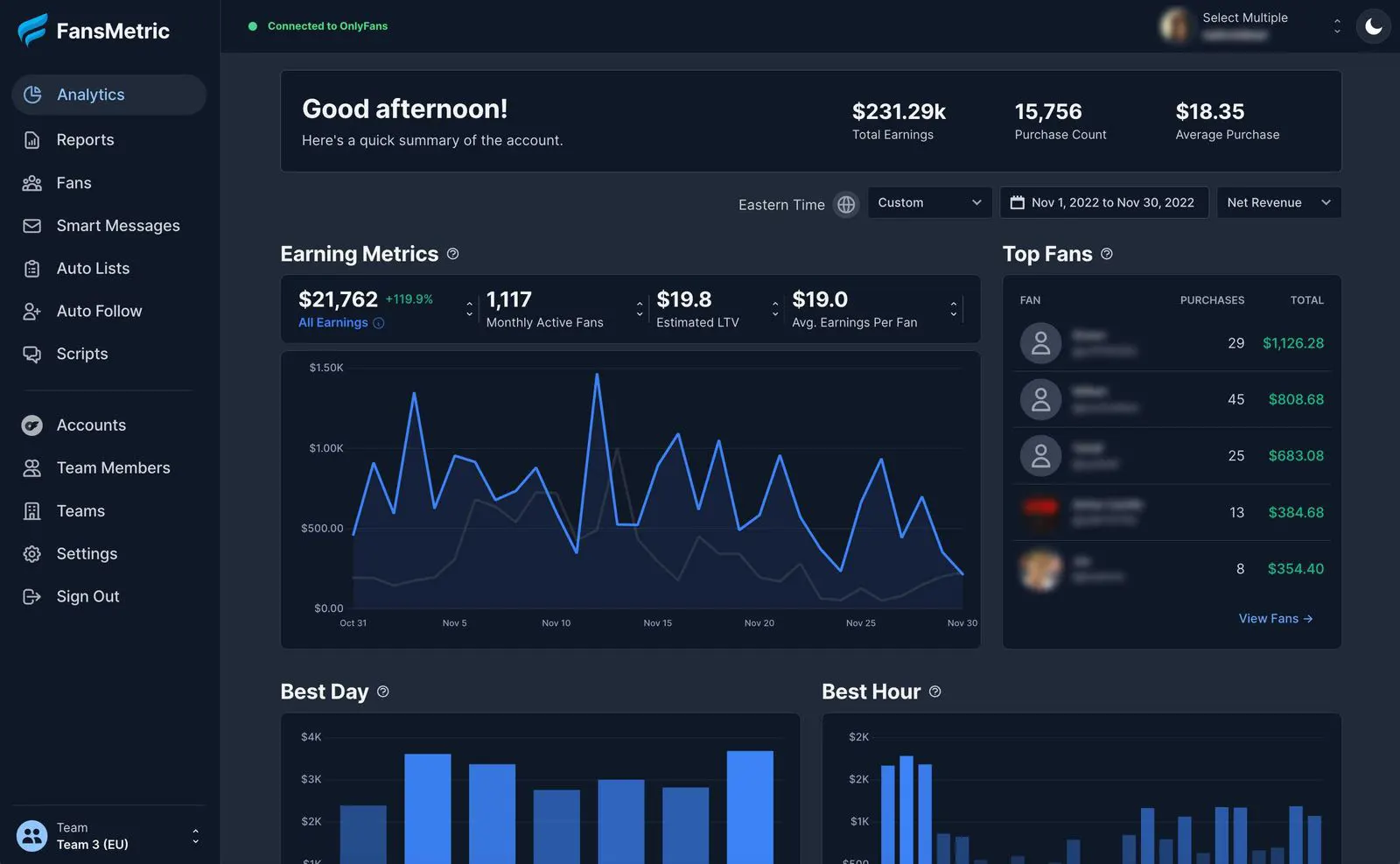
Directory image for visual context. Current features and interfaces should be confirmed directly with the provider.
Use automation to connect stable processes
Automation is most useful when the input, decision rule, and expected output are already clear. An approved task can create a reminder or add an item to a reporting sheet. Automating an ambiguous approval process simply spreads the ambiguity faster and makes failures harder to trace.
Make is an affiliate-linked option for evaluating supported administrative integrations. Its webhook documentation explains one way external services can trigger workflows. Check the available connectors and permissions for your actual apps; do not assume that every action inside a subscription platform is available through a general automation service.
Start with one low-risk workflow and give it an owner. Record how it handles missing information, repeated events, and expired connections. Include its maintenance in the cost of the stack. An automation that saves five minutes but requires frequent repair may not improve the overall working week.
Budget attention as well as subscription charges
Every service has a learning cost. Someone must understand its settings, manage access, review billing, and respond when a connection stops working. Add those responsibilities to your comparison alongside the price. A slightly more expensive tool that replaces several confusing routines may be simpler overall, but that benefit needs observation rather than assumption.
Create a subscription register with the owner, purpose, renewal date, billing arrangement, and cancellation route. Record which feature justified the purchase. Check provider pricing directly before committing, since plans and usage limits change. Avoid basing a long-term choice on an old screenshot or a temporary promotion you have not verified.
Use a review date rather than leaving trials open-ended. At review, ask whether the original task became easier, whether a substitute already exists in the stack, and whether the team can maintain the service. Cancelling an unsuitable tool is a useful operational decision, not evidence that the experiment was a waste.
Check access before inviting more people
Adding a collaborator can turn a simple stack into a complicated access problem. Identify which services the person actually needs, what role they should receive, and when that access should end. Prefer individual authorized access and suitable delegation controls where supported instead of spreading shared credentials through informal messages.
Keep recovery details under the correct owner’s control and review permissions when roles change. A contractor editing public promotional images may not need earnings reports or an entire source archive. The account security guide explains how to inventory accounts and create a practical onboarding and offboarding routine.
Evaluate whether a proposed new service creates another place where sensitive information is copied. A dashboard may be convenient, but convenience alone does not justify collecting every available data field. Use the information required for the task and make its retention and access understandable to the people responsible.
Prefer reversible experiments over big migrations
Test a new tool on one bounded workflow before moving everything. Choose a normal project with a clear start and finish, preserve the records you need, and keep other variables stable. This makes it easier to judge the effect of the tool and easier to stop if it does not fit.
Define success before the trial. You might want a shorter reporting routine, fewer lost handovers, or an easier approval process. Record what you observed and what remains uncertain. Do not treat a polished demo or a good first afternoon as proof that the product will remain useful during a full working month.
Ask how to leave before you commit. Check export formats, account ownership, custom domains, billing cancellation, and what happens to stored files after termination. A service is easier to adopt confidently when you understand the exit path. Your essential business records should not become inaccessible because a trial ended unexpectedly.
Run a monthly overlap audit
Review each paid tool against its responsibility statement. Identify features you use, features you intended to use but never adopted, and features duplicated elsewhere. Two services can coexist for good reasons, but the reason should be explicit. Paying twice because nobody noticed the overlap is different from intentionally keeping a backup.
Ask the people doing the work which system they actually trust. A formally designated source of truth is not useful if everyone quietly maintains a separate spreadsheet because the official tool is difficult. Investigate why the workaround exists before removing it. It may reveal a missing field, poor training, or an unsuitable product.
Choose one simplification each month. Remove a redundant report, retire an unused integration, consolidate a duplicated calendar, or cancel an unnecessary subscription. Avoid making several large changes at once. A gradual audit makes the stack easier to understand without interrupting the work it is meant to support.
A staged stack for different operating sizes
A solo creator can begin with native publishing, a clear link page, organized storage, and a small planning board. Add dedicated tools when a repeated task becomes difficult to manage. There is no requirement to imitate an agency’s setup before the workload exists, especially if you would be the only person maintaining every component.
For a creator with one assistant, coordination and permissions become more important. Define handovers, approved responses, file access, and responsibility for the public page. A CRM or scheduler may earn its place here, but only if it simplifies those specific tasks and the access model fits the arrangement.
For a larger authorized team, evaluate reporting consistency, role separation, documented workflows, and recovery plans across the stack. More people create a stronger need for clear ownership rather than simply more seats. Tool selection should reflect the operating structure, and every important system should have someone responsible for keeping it understandable.
Choose tools that earn their place
The strongest stack is one you can explain. You know where assets live, who can approve them, how publication is recorded, which reports guide decisions, and how to remove access. Each service supports part of that picture without duplicating work merely because another feature was available.
Start your next review with one question: which recurring task is hardest to complete reliably? Explore the relevant OFToolbox category, compare a small number of options, and test a bounded solution. Keep what demonstrably helps, document how it works, and leave space for the creative work the tools are supposed to support.
If you enjoyed this post, please help us by sharing it with others.
Organize creator account security with stronger logins, controlled team access, safer file sharing, recovery planning, and a practical monthly review.
18 Oct 2026 • 12 min read

Learn how to promote OnlyFans on Reddit effectively. Discover UpvoteGG, a Telegram bot for buying Reddit upvotes to boost your reach fast.
17 Feb 2026 • 4 min read